

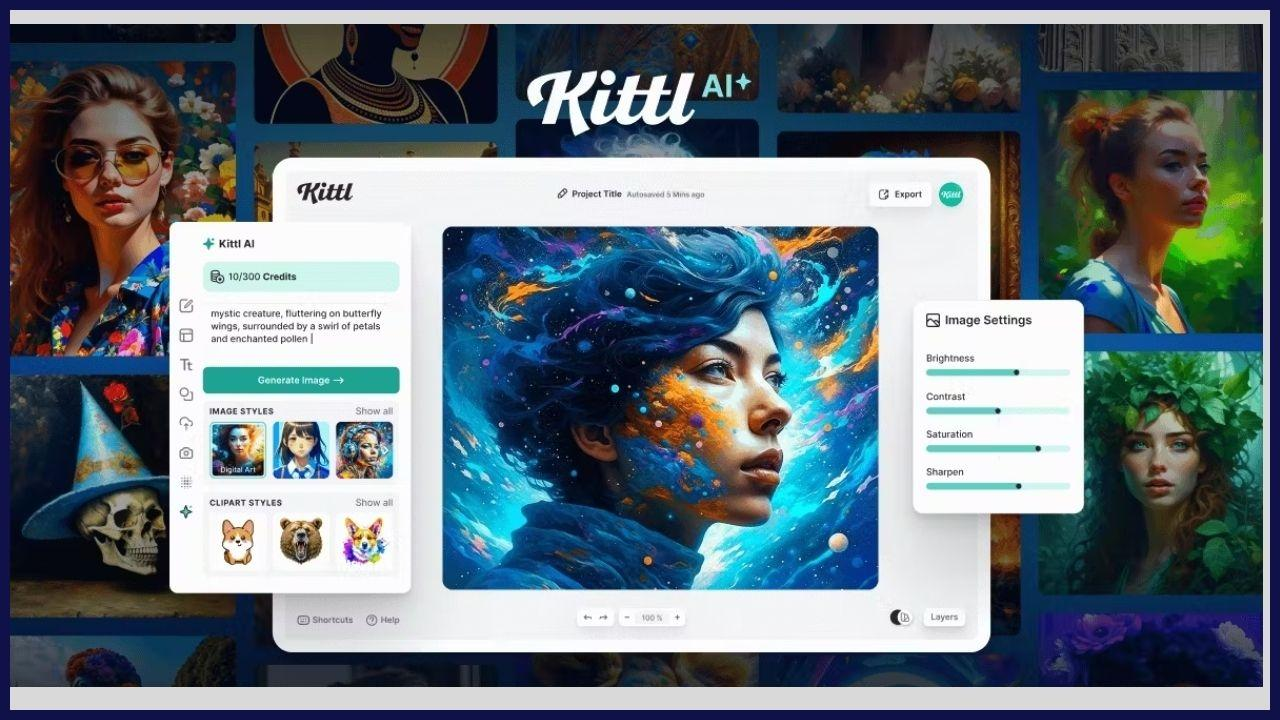
Creating professional designs used to require years of experience, expensive software, and advanced skills. But today, tools like Kittl AI are changing the game. Whether you are a beginner, freelancer, or business owner, this platform helps you create stunning visuals quickly and efficiently.
Understanding What Kittl AI Is

Kittl AI is an advanced graphic design platform that combines artificial intelligence with easy-to-use tools. It allows users to create logos, social media posts, posters, typography art, and much more—without needing professional design skills.
Key Features:
- AI-powered design suggestions
- Ready-made templates
- Advanced typography tools
- Easy drag-and-drop editor
- Background remover and image tools
Unlike tools like Canva or Adobe Illustrator, Kittl focuses heavily on creative typography and vintage-style designs, making it unique.
2: Creating Your Account
To get started:
- Visit the official website of Kittl AI
- Click on “Sign Up”
- Register using email, Google, or social login
- Complete your profile
Once done, you’ll land on the dashboard where all your design projects will be stored.
Exploring the Dashboard

The dashboard is your control center.
Main Sections:
- Projects: Stores all your designs
- Templates: Pre-made design layouts
- Editor: Where you create designs
- Assets: Icons, illustrations, fonts
Take a few minutes to explore everything. Familiarity will help you work faster later.
4: Choosing the Right Template
Templates save time and give you a professional starting point.
Popular Template Categories:
- Social Media Posts
- Logos
- Posters
- T-shirt Designs
- Branding Kits
Simply select a template, and it will open in the editor where you can customize it.
5: Mastering the Editor Tools
The editor is where the magic happens.
Essential Tools:
- Text Tool: Add and customize fonts
- Shapes & Elements: Insert icons and graphics
- Layers Panel: Manage design elements
- Color Controls: Adjust colors easily
Kittl AI stands out because of its advanced typography editing, which allows bending, stretching, and styling text effortlessly.
6: Using AI Features for Faster Design

AI Features Include:
- AI text-to-design generation
- Background remover
- Smart resizing
- Style suggestions
For example, you can type a prompt, and the AI will generate design ideas instantly.
7: Customizing Typography Like a Pro
Typography is where Kittl AI truly shines.
Tips:
- Use bold fonts for headlines
- Combine 2–3 fonts only
- Adjust spacing and alignment
- Add shadows, outlines, and effects
This feature is especially useful for branding and merchandise designs.
8: Working with Colors and Branding
Colors define your brand identity.
Best Practices:
- Use consistent color palettes
- Stick to 2–4 main colors
- Use contrast for readability
- Follow brand guidelines
Kittl allows you to save brand colors for future use.
9: Adding Images and Graphics
Visual elements enhance your design.
You Can:
- Upload your own images
- Use built-in stock assets
- Add icons and illustrations
Make sure not to overcrowd your design—keep it clean and balanced.
10: Exporting Your Design
Once your design is ready:
- Click on Export
- Choose format (PNG, JPG, SVG, PDF)
- Select resolution
- Download your file
You can also share designs directly.
11: Tips to Create Like a Pro
To truly unlock the power of Kittl AI, follow these expert tips:
1. Keep It Simple
Avoid clutter. Clean designs look more professional.
2. Use Hierarchy
Make sure the most important text stands out.
3. Stay Consistent
Use consistent fonts, colors, and styles.
4. Practice Regularly
The more you design, the better you get.
5. Learn from Others
Explore templates and trending designs for inspiration.
12: Common Mistakes to Avoid
Even beginners can create amazing designs if they avoid these mistakes:
- Using too many fonts
- Poor color combinations
- Overcrowding elements
- Ignoring alignment
- Low-quality images
Fixing these will instantly improve your designs.
13: Who Should Use Kittl AI?
Kittl AI is perfect for:
- Beginners with no design experience
- Freelancers
- Small business owners
- Social media creators
- Print-on-demand sellers
It saves time, reduces cost, and delivers professional results.
14: Kittl AI vs Other Tools
Kittl AI vs Canva
- Canva is beginner-friendly
- Kittl offers better typography
Kittl AI vs Adobe Illustrator
- Illustrator is powerful but complex
- Kittl is simple and faster
Choose based on your needs.
15: Final Thoughts
By following this step-by-step guide, you can:
- Learn design fundamentals
- Use AI tools efficiently
- Create high-quality designs
- Build your creative skills
Start experimenting, keep practicing, and soon you’ll be creating designs like a pro.
Conclusion
Kittl AI is more than just a design tool—it’s a complete creative platform powered by AI. Whether you’re designing for fun, business, or freelancing, mastering Kittl can open new opportunities.
Now it’s your turn—start designing and unlock your full creative potential! 🚀