

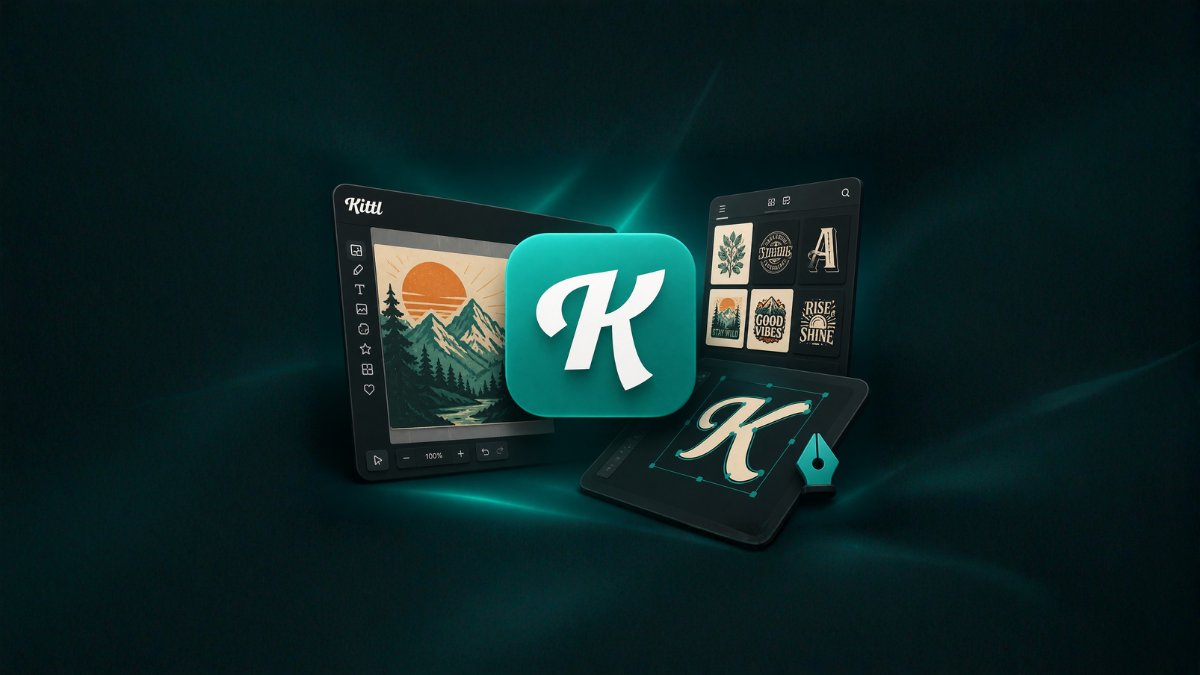
In today’s fast-paced digital world, design has become an essential skill for creators, entrepreneurs, marketers, and even students. Whether you are building a brand, creating social media posts, or designing marketing materials, having the right tools can make a huge difference. One such powerful and beginner-friendly tool is Kittl. It allows anyone—regardless of design experience—to create professional-quality designs in just minutes.
This guide will walk you through everything you need to know about using Kittl effectively, from getting started to mastering advanced features. By the end of this article, you’ll be able to design like a pro without spending years learning complex software.
What is Kittl?
Kittl is an online graphic design platform that simplifies the design process through ready-made templates, intuitive tools, and advanced typography features. Unlike traditional design software that can feel overwhelming, Kittl focuses on speed, ease, and creativity.
It is especially popular for:
- Social media graphics
- Posters and flyers
- Logo design
- T-shirt designs
- Branding materials
The platform combines powerful design capabilities with an easy-to-use interface, making it perfect for beginners and professionals alike.
Why Choose Kittl Over Other Design Tools?
There are many design tools available today, but Kittl stands out due to its unique combination of simplicity and advanced features.
1. Beginner-Friendly Interface
Kittl’s clean and intuitive dashboard ensures that even first-time users can start designing immediately without confusion.
2. Ready-to-Use Templates
You don’t have to start from scratch. Kittl offers hundreds of professionally designed templates that you can customize in seconds.
3. Advanced Typography Tools
Typography is one of Kittl’s strongest features. You can easily create stunning text effects like shadows, outlines, curves, and distortions.
4. High-Quality Graphics Library
Access thousands of illustrations, icons, and design elements to enhance your projects.
5. Fast Workflow
Everything is optimized for speed. You can create a professional design in just a few minutes.
Getting Started with Kittl
Step 1: Create an Account
Visit the Kittl website and sign up using your email or social account.
Step 2: Choose a Design Type
Select what you want to create—poster, logo, social media post, etc.
Step 3: Pick a Template
Browse through the template library and choose one that matches your style.
Step 4: Customize Your Design
Edit text, colors, images, and layouts using the drag-and-drop editor.
Step 5: Download Your Design
Export your design in high resolution for use online or offline.
Key Features That Make Kittl Powerful
1. Drag-and-Drop Editor
You can easily move elements around the canvas without any technical knowledge.
2. Text Effects
Kittl allows you to:
- Curve text
- Add shadows
- Apply textures
- Create 3D-like typography
3. Color Customization
Choose from pre-set palettes or create your own color combinations.
4. Layer Control
Manage elements efficiently using layers, similar to advanced design tools.
5. Background Removal
Remove backgrounds from images with a single click.
Designing Like a Pro: Tips and Tricks
Even with a great tool like Kittl, good design practices are essential. Here are some expert tips:
1. Keep It Simple
Avoid clutter. Use minimal elements to create clean and professional designs.
2. Use Consistent Fonts
Stick to 2–3 fonts to maintain visual harmony.
3. Choose the Right Colors
Use color combinations that match your brand or theme.
4. Focus on Alignment
Ensure that all elements are properly aligned for a polished look.
5. Use High-Quality Images
Always use high-resolution images for better output.
Best Use Cases for Kittl
Social Media Content
Create eye-catching posts for Instagram, Facebook, and other platforms.
Logo Design
Design unique logos with customizable fonts and icons.
Marketing Materials
Make posters, flyers, and banners for promotions.
Print Designs
Create t-shirt graphics, stickers, and merchandise designs.
Branding
Develop a consistent brand identity with matching visuals.
Kittl vs Traditional Design Software
| Feature | Kittl | Traditional Tools |
|---|---|---|
| Ease of Use | Very Easy | Complex |
| Learning Curve | Low | High |
| Speed | Fast | Moderate |
| Templates | Extensive | Limited |
| Cost | Affordable | Expensive |
Kittl is ideal for quick and professional designs, while traditional tools are better suited for advanced and highly customized projects.
Common Mistakes to Avoid
- Overloading your design with too many elements
- Using too many fonts
- Ignoring spacing and alignment
- Choosing poor color combinations
- Not proofreading text
Avoiding these mistakes can instantly improve your design quality.
Advanced Techniques in Kittl
Once you’re comfortable with the basics, try these advanced features:
1. Custom Typography Effects
Create unique text styles by combining multiple effects.
2. Layer Blending
Experiment with layering techniques to add depth.
3. Texture Application
Apply textures to text and backgrounds for a professional look.
4. Grid Layouts
Use grids to maintain structure and balance.
5. Branding Kits
Save your colors, fonts, and styles for consistent branding.
Benefits of Using Kittl for Beginners
- No prior design experience required
- Fast learning curve
- Professional results
- Time-saving templates
- Affordable pricing
Kittl empowers beginners to create designs that look like they were made by professionals.
Benefits for Professionals
Even experienced designers can benefit from Kittl:
- Quick mockups
- Faster workflow
- Easy client presentations
- Ready-made assets
- Efficient project turnaround
How to Improve Your Design Skills with Kittl
- Practice daily
- Study design trends
- Experiment with templates
- Learn color theory
- Analyze professional designs
Consistency is key to becoming a better designer.
Future of Design Tools Like Kittl
The design industry is moving toward tools that are:
- Faster
- More accessible
- AI-powered
- User-friendly
Kittl is part of this evolution, making design accessible to everyone.
Conclusion
Designing like a professional no longer requires years of experience or expensive software. With Kittl, you can create stunning designs in minutes, whether you are a beginner or an expert.
By using templates, mastering typography, and following basic design principles, you can produce high-quality visuals effortlessly. Start experimenting with Kittl today and unlock your creative potential.
FAQs
1. What is Kittl used for?
Kittl is used for creating graphic designs like social media posts, logos, posters, and more.
2. Is Kittl free to use?
Kittl offers both free and premium plans with additional features.
3. Do I need design experience to use Kittl?
No, Kittl is beginner-friendly and easy to use.
4. Can I create logos with Kittl?
Yes, you can design professional logos using its templates and tools.
5. Is Kittl better than Canva?
Kittl excels in typography and advanced text effects, while Canva offers broader templates.
6. Can I use Kittl for commercial projects?
Yes, depending on the license and plan you choose.
7. Does Kittl work on mobile devices?
Kittl is primarily optimized for desktop use but may work on some mobile browsers.
8. How do I download my designs?
You can export your designs in various formats like PNG, JPG, or PDF.
9. Can I upload my own images?
Yes, Kittl allows you to upload and edit your own images.
10. Does Kittl support team collaboration?
Some plans offer collaboration features for teams.
11. Is Kittl suitable for print design?
Yes, you can create high-resolution designs suitable for printing.
12. How can I improve my designs in Kittl?
Practice regularly, use templates, and follow design principles like alignment and color balance.