

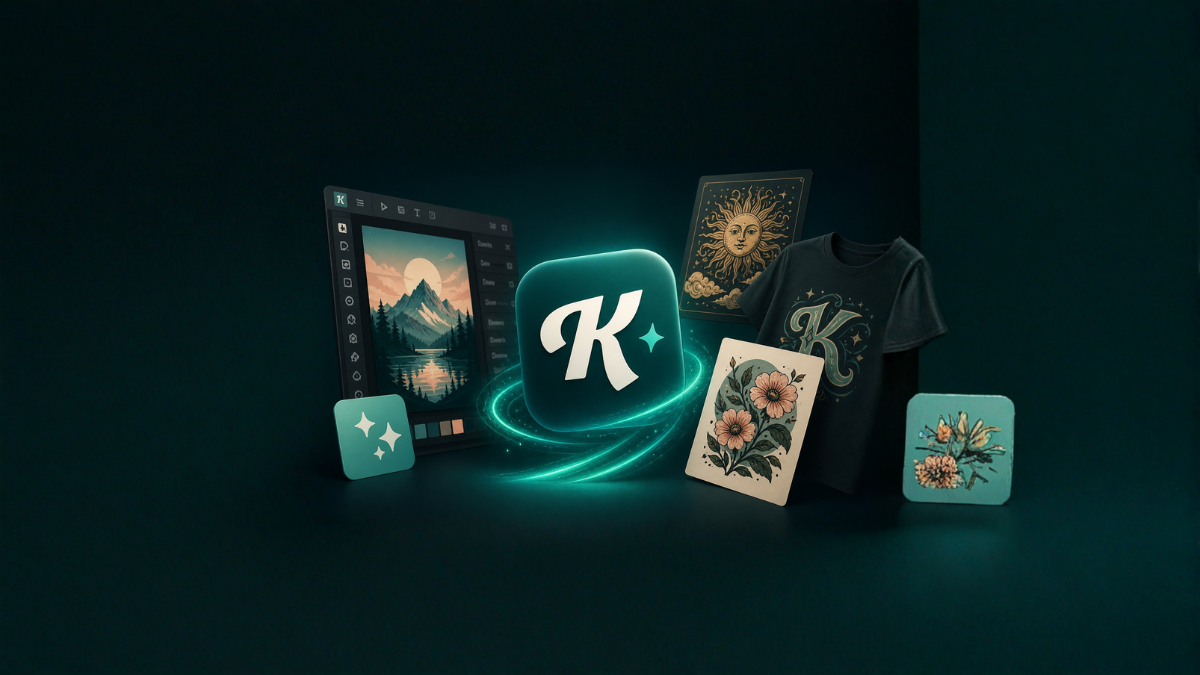
In today’s fast-paced digital world, design is no longer just a skill reserved for professionals—it’s a necessity for everyone. Whether you are a blogger, marketer, business owner, student, or content creator, having the ability to create visually appealing designs quickly can make a huge difference. This is where Kittl AI steps in as a game-changing tool.
Kittl AI is a powerful, user-friendly design platform that combines artificial intelligence with intuitive tools to help users create stunning graphics in minutes. Unlike traditional design software that requires technical expertise, Kittl AI simplifies the process while still offering professional-quality results.
What is Kittl AI?
Kittl AI is an advanced design platform that uses artificial intelligence to assist users in creating graphics such as logos, social media posts, posters, t-shirts, and more. It is especially popular for its typography tools, ready-made templates, and AI-powered features that automate complex design tasks.
The platform is designed for both beginners and professionals. Even if you have no prior design experience, you can still create visually appealing content using its drag-and-drop interface and smart suggestions.
Why Kittl AI is Gaining Popularity
The demand for quick and high-quality design solutions has increased significantly. Kittl AI addresses this need by offering:
- Fast design creation
- Easy-to-use interface
- AI-powered suggestions
- Professional templates
- Affordable pricing options
Unlike complex tools like Photoshop or Illustrator, Kittl AI focuses on speed and simplicity without compromising quality.
Key Features of Kittl AI
1. AI-Powered Design Assistance
Kittl AI uses artificial intelligence to suggest layouts, fonts, colors, and styles. This reduces the time spent on decision-making and helps users create designs faster.
2. Advanced Typography Tools
One of the standout features of Kittl AI is its typography. Users can easily create stylish text effects such as:
- Vintage fonts
- 3D text effects
- Curved and warped text
- Shadow and outline styles
These tools are especially useful for branding and merchandise design.
3. Ready-to-Use Templates
Kittl AI offers a wide range of templates for:
- Social media posts
- Posters
- Logos
- Business cards
- T-shirt designs
These templates can be customized easily, saving both time and effort.
4. Drag-and-Drop Interface
The platform features a simple drag-and-drop editor, making it accessible for beginners. You can add elements, adjust sizes, and change colors without any technical knowledge.
5. Vector Editing Capabilities
Kittl AI allows users to work with vector graphics, which means designs can be resized without losing quality. This is ideal for print and digital use.
6. AI Image Generation
Some versions of Kittl AI include AI image generation features, allowing users to create custom visuals based on text prompts.
Benefits of Using Kittl AI
Saves Time
Designing from scratch can take hours. Kittl AI reduces this time significantly by offering templates and AI suggestions.
Beginner-Friendly
You don’t need any design experience to use Kittl AI. Its intuitive interface makes it easy for anyone to get started.
Cost-Effective
Hiring a professional designer can be expensive. Kittl AI provides a budget-friendly alternative.
Professional Results
Despite its simplicity, Kittl AI delivers high-quality designs suitable for business and marketing purposes.
How to Use Kittl AI
Step 1: Sign Up
Create an account on the Kittl platform using your email.
Step 2: Choose a Template
Browse through the available templates and select one that fits your needs.
Step 3: Customize Your Design
Edit text, colors, images, and layout using the drag-and-drop editor.
Step 4: Use AI Tools
Leverage AI suggestions to enhance your design automatically.
Step 5: Download Your Design
Once finished, export your design in your preferred format.
Use Cases of Kittl AI
Social Media Content
Create eye-catching posts for platforms like Instagram, Facebook, and Twitter.
Branding
Design logos, business cards, and brand assets.
E-commerce
Create product mockups, promotional banners, and ads.
Print Design
Design posters, flyers, and merchandise like t-shirts.
Blogging and Content Creation
Enhance blog posts with visually appealing graphics.
Kittl AI vs Traditional Design Tools
| Feature | Kittl AI | Traditional Tools |
|---|---|---|
| Ease of Use | Very Easy | Complex |
| Time Required | Fast | Time-Consuming |
| Learning Curve | Low | High |
| AI Features | Yes | Limited |
| Cost | Affordable | Expensive |
Kittl AI clearly stands out for beginners and users who need quick results.
Limitations of Kittl AI
While Kittl AI is powerful, it does have some limitations:
- Limited advanced editing compared to professional software
- Requires internet connection
- Some features are available only in paid plans
However, for most users, these limitations are minor compared to the benefits.
Tips to Get the Best Results with Kittl AI
- Use templates as a starting point
- Experiment with typography styles
- Keep designs clean and simple
- Use consistent colors and fonts
- Take advantage of AI suggestions
Future of AI in Design
AI is transforming the design industry, making it more accessible and efficient. Tools like Kittl AI are just the beginning. In the future, we can expect:
- More automation
- Smarter design suggestions
- Faster workflows
- Personalized design experiences
Kittl AI is already leading this transformation by simplifying complex design tasks.
Conclusion
Kittl AI is a powerful and accessible design tool that allows anyone to create stunning visuals quickly. Whether you are a beginner or a professional, it offers the perfect balance of simplicity and functionality.
With its AI-powered features, intuitive interface, and wide range of templates, Kittl AI is redefining how people approach design. If you’re looking to save time and create professional-quality graphics without the hassle, Kittl AI is definitely worth trying.
FAQs (Frequently Asked Questions)
1. What is Kittl AI used for?
Kittl AI is used for creating graphics such as logos, social media posts, posters, and more using AI-powered tools.
2. Is Kittl AI free to use?
Kittl AI offers both free and paid plans. The free plan has limited features.
3. Do I need design skills to use Kittl AI?
No, Kittl AI is designed for beginners and requires no prior design experience.
4. Can I use Kittl AI for commercial purposes?
Yes, depending on the plan and licensing terms, you can use designs for commercial use.
5. What makes Kittl AI different from Canva?
Kittl AI focuses more on advanced typography and AI-driven design features.
6. Is Kittl AI suitable for logo design?
Yes, it offers tools and templates specifically for logo creation.
7. Can I download designs in high quality?
Yes, you can export designs in high-resolution formats.
8. Does Kittl AI work on mobile devices?
Kittl AI works best on desktop but may have limited mobile support.
9. Are there templates available?
Yes, Kittl AI provides a wide range of customizable templates.
10. Can I collaborate with others on Kittl AI?
Some plans may include collaboration features.
11. Is internet required to use Kittl AI?
Yes, it is a web-based platform and requires an internet connection.
12. Is Kittl AI worth it?
Yes, it is a great tool for quick, high-quality design creation at an affordable cost.