

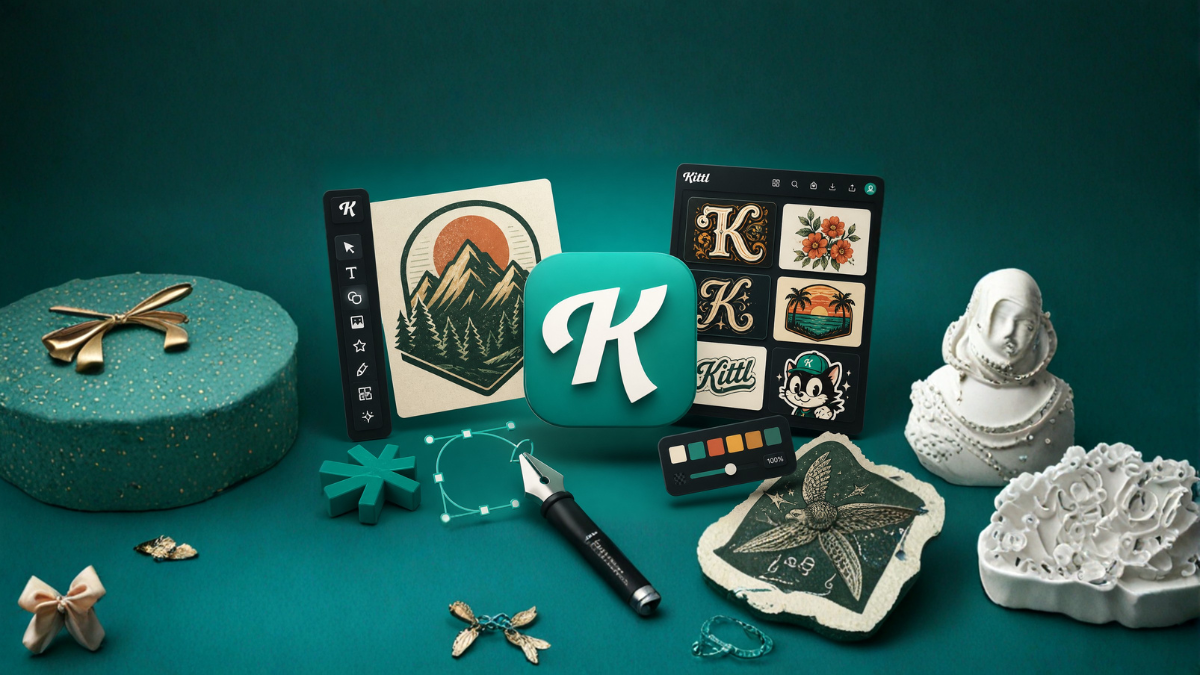
In today’s fast-evolving digital landscape, design tools have become more powerful, accessible, and user-friendly than ever before. Whether you are a beginner exploring graphic design or a professional looking to streamline your workflow, Kittl has emerged as one of the most talked-about platforms in the creative space. This article provides a complete breakdown of Kittl features, helping you understand why it is gaining popularity and how you can use it effectively.
What is Kittl?
Kittl is a modern, browser-based graphic design platform that focuses on typography, illustration, and branding. It combines ease of use with advanced design capabilities, making it suitable for creating logos, posters, social media graphics, t-shirt designs, and more.
Unlike traditional design software, Kittl is built with a strong emphasis on creative efficiency. It allows users to produce high-quality designs quickly without needing deep technical expertise.
Key Highlights of Kittl
Before diving into individual features, here are some core aspects that define Kittl:
- User-friendly interface
- Advanced typography tools
- Ready-to-use templates
- AI-powered design assistance
- High-quality illustrations and assets
- Real-time editing
1. Intuitive Drag-and-Drop Interface
One of the most attractive features of Kittl is its simple drag-and-drop interface. Even if you have never used design software before, you can start creating designs within minutes.
Benefits:
- No steep learning curve
- Quick design creation
- Smooth navigation
The clean layout ensures that tools are easily accessible, allowing users to focus more on creativity rather than technicalities.
2. Advanced Typography Tools
Typography is where Kittl truly stands out. It offers professional-level text editing features that are usually found in high-end design software.
Key Typography Features:
- Text warping and distortion
- Curved text alignment
- Shadow and 3D effects
- Letter spacing and kerning control
- Vintage and retro text styles
This makes Kittl especially popular among users creating:
- Logo designs
- T-shirt graphics
- Branding materials
3. Massive Template Library
Kittl provides a wide range of pre-designed templates that help users kickstart their projects.
Categories Include:
- Social media posts
- Posters and flyers
- Business cards
- Logos
- Merchandise designs
These templates are fully customizable, allowing you to modify colors, fonts, and layouts according to your needs.
4. AI-Powered Design Tools
Artificial Intelligence is a major component of Kittl’s functionality. The platform uses AI to simplify complex design tasks.
AI Features:
- AI text-to-image generation
- Background removal
- Smart resizing
- Style suggestions
These tools save time and help users generate creative ideas quickly.
5. Built-in Illustration Library
Kittl includes a vast collection of high-quality illustrations and design elements.
Available Assets:
- Icons
- Shapes
- Patterns
- Vintage graphics
- Decorative elements
These assets are particularly useful for:
- Branding projects
- Apparel design
- Social media graphics
6. Real-Time Editing and Preview
Kittl allows users to see changes instantly while editing designs.
Advantages:
- Faster workflow
- Immediate feedback
- Better design decisions
Real-time preview ensures that what you see on screen is exactly what you will get in the final output.7. Vector Editing Capabilities
Unlike many beginner-friendly tools, Kittl supports vector editing.
Features Include:
- Scalable graphics without quality loss
- Path editing
- Shape manipulation
This is essential for professional designers who require precision and flexibility.
8. Text Effects and Styles
Kittl offers a wide range of pre-built text styles that can instantly transform your design.
Popular Styles:
- Vintage
- Modern
- Minimalist
- Bold typography
These styles can be applied with a single click, making it easy to create visually appealing content.
9. Collaboration Features
Kittl enables users to collaborate on projects, making it suitable for teams and businesses.
Collaboration Tools:
- Shared projects
- Real-time updates
- Team access
This feature is especially useful for agencies and remote teams.
10. Export Options
Kittl provides multiple export formats to suit different needs.
Supported Formats:
- PNG
- JPG
- SVG
This flexibility ensures that your designs are ready for both digital and print use.
11. Brand Kit Functionality
Kittl allows users to maintain brand consistency through its Brand Kit feature.
Includes:
- Custom color palettes
- Font selection
- Logo storage
This is particularly beneficial for businesses and marketers.
12. Cloud-Based Platform
Being a cloud-based tool, Kittl does not require installation.
Benefits:
- Access from any device
- Automatic saving
- No system compatibility issues
You can work from anywhere with just an internet connection.
13. T-Shirt and Merch Design Focus
Kittl is widely used for merchandise design, especially in print-on-demand businesses.
Why It’s Popular for Merch:
- Pre-made layouts
- Vintage typography
- Easy export for printing
This makes it ideal for platforms like Etsy and Shopify sellers.
14. Customization Flexibility
Every element in Kittl can be customized.
Editable Components:
- Colors
- Fonts
- Shapes
- Layouts
This ensures that your designs are unique and not template-looking.
15. Performance and Speed
Kittl is optimized for performance, ensuring smooth operation even on basic systems.
Advantages:
- Fast loading
- Minimal lag
- Efficient rendering
Pros and Cons of Kittl
Pros:
- Beginner-friendly
- Powerful typography tools
- AI integration
- High-quality templates
- Cloud-based accessibility
Cons:
- Limited offline functionality
- Some features require paid plans
- Not as advanced as high-end software for complex projects
Who Should Use Kittl?
Kittl is suitable for:
- Beginners in graphic design
- Freelancers
- Small business owners
- Social media marketers
- Print-on-demand sellers
It offers a balance between simplicity and professional-grade tools.
Conclusion
Kittl is a powerful and versatile design platform that bridges the gap between beginner-friendly tools and professional software. Its strong focus on typography, AI-driven features, and ease of use makes it a standout choice in the design world.
Whether you are creating social media content, branding materials, or merchandise designs, Kittl provides all the essential tools needed to bring your ideas to life.
FAQs
1. What is Kittl used for?
Kittl is used for creating graphic designs such as logos, posters, social media content, and merchandise.
2. Is Kittl free to use?
Kittl offers both free and paid plans with advanced features available in premium versions.
3. Can beginners use Kittl?
Yes, Kittl is designed to be beginner-friendly with an easy interface.
4. Does Kittl support vector files?
Yes, Kittl supports vector editing and export options like SVG.
5. What makes Kittl different from other tools?
Its advanced typography tools and AI features set it apart.
6. Can I use Kittl for commercial projects?
Yes, depending on the license of assets used.
7. Is Kittl cloud-based?
Yes, it works entirely in the browser.
8. Does Kittl have templates?
Yes, it offers a wide variety of customizable templates.
9. Can I design t-shirts using Kittl?
Yes, it is widely used for t-shirt and merch design.
10. Does Kittl require installation?
No, it is a web-based tool.
11. Can teams collaborate on Kittl?
Yes, it supports collaboration features.
12. What file formats can I export in Kittl?
You can export designs in PNG, JPG, SVG, and PDF formats.